Why Freelancers Lose $4,200+ Per Year to Late Invoice Payments — And How to Stop It
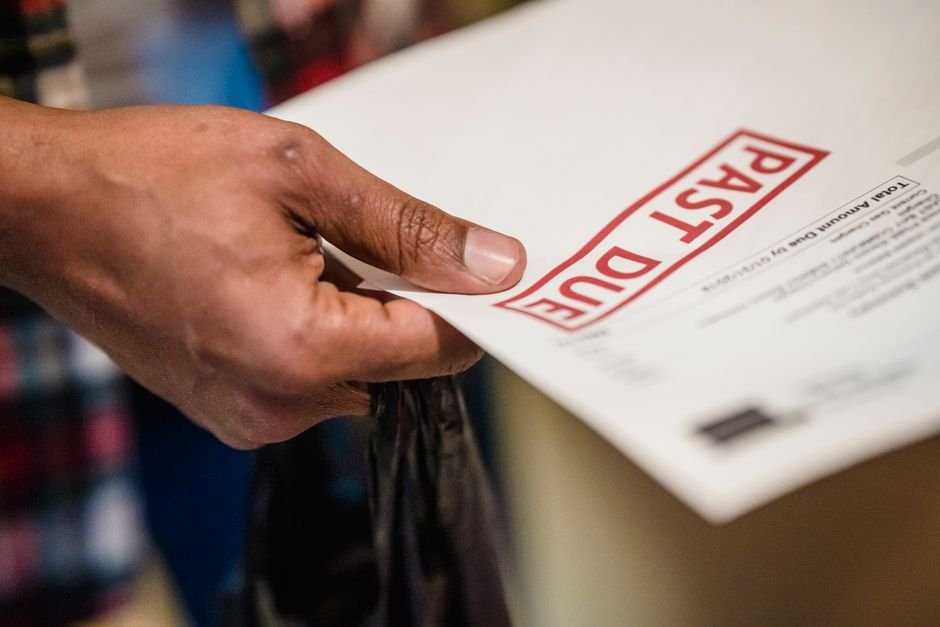
Marcus Chen, a freelance UX designer in Austin, Texas, landed what looked like his biggest contract to date. A mid-sized e-commerce brand hired him for a $3,500 website redesign project, promising Net-30 payment terms. Marcus completed the work in full, submitted his invoice on the agreed date, and waited.
Forty-five days passed. No payment. Marcus sent a polite follow-up email. Sixty days. Another email. Seventy-two days later—nearly two and a half months after delivering final designs—the payment finally cleared his bank account. During that window, Marcus had already borrowed $1,200 from his business line of credit to cover software subscriptions, equipment repairs, and his own $2,800 monthly operating costs. The interest on that borrowed money cost him $47. His payment chasing also consumed roughly 8 hours across three follow-up emails and two phone calls—time he could have spent winning new clients or refining his portfolio.
Marcus isn’t alone. After implementing a proper invoicing system with payment links and sending his next invoice on a Tuesday with clear terms, his next three invoices averaged payment in 18 days instead of 65. Over a year, that timing shift freed up $3,200 in unnecessary borrowing costs and reclaimed 40 hours he’d previously spent chasing money that was already owed to him.
TL;DR — What You’ll Learn
- Why 45% of freelancers cite late payments as their top business challenge—and how cash flow delays create a hidden tax on your income
- The exact timing, wording, and invoice structure that reduces payment delays by 8+ days—backed by FreshBooks data
- A 10-minute setup that automates payment reminders and eliminates the need to chase clients yourself
Why Late Invoice Payments Matter More Than Most Freelancers Realise
The math of freelance cash flow is brutal. According to FreshBooks 2024 data, freelancers spend an average of 36 days per year chasing late invoices. That’s roughly six full eight-hour workdays spent on email threads and follow-up calls instead of billable work. But the real damage runs deeper than lost hours.
According to the US Bank, 82% of businesses that fail do so because of cash flow problems, not profitability. You can have a profitable freelance business—clients love your work, you charge fair rates, your margins are solid—and still collapse under cash flow stress if invoices aren’t paid on time. When a client delays payment by 30, 45, or 60 days, you’re forced to absorb the gap yourself: paying for software, your own rent, equipment, and professional development out of pocket while waiting for money that’s already been earned. Many freelancers respond by taking on more clients than they can handle, working longer hours to compensate, or opening lines of credit at 12-18% annual interest.
According to Atradius 2024 data, 29% of invoices to small businesses are paid late in the US. For high-ticket invoices—the ones freelancers most depend on—the problem is sharper: 60% of invoices over $1,000 are paid late. This isn’t a client quality issue or a market problem. This is a systems problem. The way you structure, send, and follow up on invoices directly predicts whether you get paid on time or spend weeks chasing money.
Actionable Solution 1: Build Invoice Psychology Into Your Timing and Wording
Send Invoices on Tuesday Morning — When Clients Are Most Likely to Pay
Timing matters more than you think. According to Xero 2024 research, invoices sent on Tuesday have the highest on-time payment rate across industries. Why Tuesday? By Monday, clients are overwhelmed with urgent items. By Thursday and Friday, they’re mentally checked out or swamped with end-of-week deadlines. Tuesday sits in the cognitive sweet spot: clients are present, focused, and working through their systems.
Implement this immediately: schedule all invoices to send on Tuesday morning between 8:00 AM and 10:00 AM your client’s local time. This small shift alone can reduce your average payment time by 3-4 days over the course of a year—translating to roughly $800-1,200 in reduced borrowing costs for a freelancer earning $60,000-90,000 annually.
Add a Payment Link Directly Inside Your Invoice — Not as a Hidden Afterthought
Friction kills payment speed. If a client has to copy an invoice number, log into their accounting system, manually enter your bank details, and confirm the transfer, payment gets delayed. According to FreshBooks data, adding a payment link to an invoice reduces average payment time by 8 days. That’s the single biggest time-saving change you can make.
The payment link should appear twice: once in the invoice header or body (with language like “Pay now” or “Click here to pay securely”), and again in a footer call-to-action. Make it obvious. Your invoice wording should read: “Payment due by [Date]. To pay instantly, click the link below. For ACH transfer, here are our banking details.” The psychological effect is immediate—you’re removing every excuse to delay. A client who intends to pay will pay in 2 days. A client who doesn’t intend to pay immediately will pay in 8 days if the friction is low, or 45 days if they have to hunt for your payment instructions.
Actionable Solution 2: Use Automated Invoice Systems to Eliminate Manual Follow-Up
Set Up Automated Payment Reminders That Trigger Without Your Involvement
Manual follow-up is reactive and draining. You wait 30 days, realize you haven’t been paid, send an email, wait another 10 days, send another email—meanwhile you’re stressed and the relationship feels strained. Automated systems flip this: payment reminders send themselves on a schedule you design, and clients receive them as routine business communications, not as personal nagging.
Configure your invoicing system to send: (1) a first reminder 2 days before the invoice is due, (2) a second reminder on the due date itself, and (3) a final reminder 5 days after the due date if payment hasn’t cleared. This three-touch sequence feels professional and impersonal. Clients don’t experience it as “Marcus is chasing me”—they experience it as “our payment system sent a routine reminder.” According to FreshBooks, businesses using automated invoicing get paid 2x faster than those managing invoices manually.
Track Payment Status in Real Time — No More Guessing
Uncertainty is a time killer. You finish a project, send an invoice, and then you’re left wondering: Did they receive it? Are they ignoring me? Is it in their to-do pile? An invoicing system with real-time payment tracking removes this anxiety. You log in and instantly see which invoices are unpaid, how many days overdue they are, and whether your payment link has been clicked (a signal that the client has at least seen the invoice).
This visibility lets you respond faster to actual problems. If an invoice is 10 days overdue and the payment link has never been clicked, you can assume the email went to spam—and you call the client directly with a specific message: “I sent you invoice #12345 on Tuesday. Did you receive it?” You’re not nagging; you’re solving a problem. This distinction transforms the relationship.
Fix This in Under 10 Minutes — Free
You don’t need enterprise accounting software or a bookkeeper to implement this. A professional invoicing system takes less than 10 minutes to set up and requires zero technical skill.
Step 1: Create a free account with BizInvoiceGen. Go to
Oliver K.G Oliver is the founder of BizInvoiceGen.com, a free invoice generator trusted by freelancers and small business owners. He writes on invoicing best practices, cash flow management, and getting paid faster.
