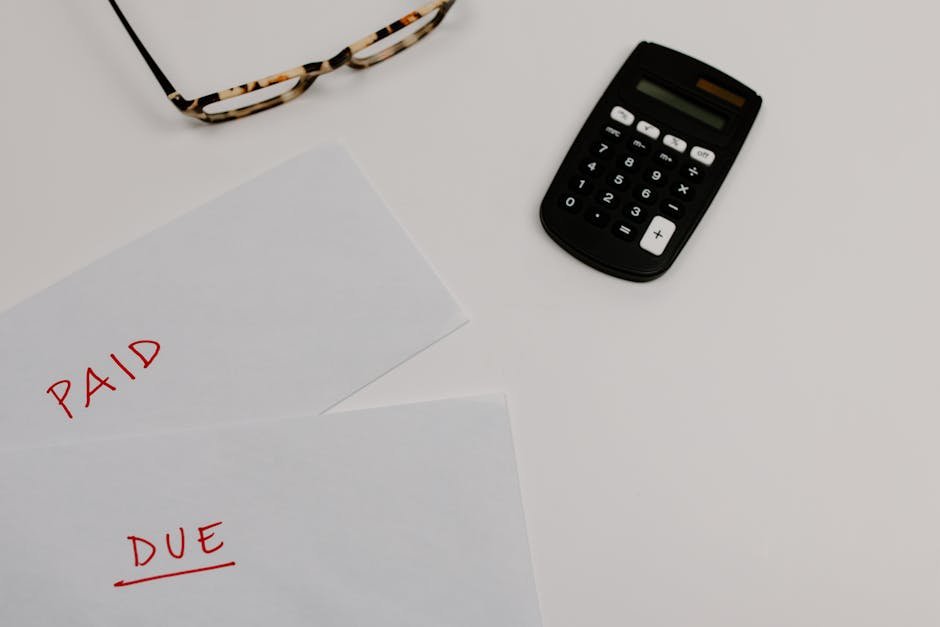
Why Freelancers Miss Payment for 36 Days Per Year (And How to Cut That in Half)
Marcus Chen, a freelance UX designer in Austin, Texas, had a problem that most designers never talk about openly. He was landing premium clients—the kind paying $85 to $110 per hour for his expertise—but his bank account didn’t reflect that success. Last year, Marcus invoiced clients for roughly $78,000 in completed work. Yet at any given moment, between 35% and 40% of that money sat unpaid in client accounts, waiting.
The financial impact was brutal. Marcus had his own expenses: software subscriptions ($340/month), health insurance ($520/month), equipment replacement fund, and the simple reality of needing to eat. When clients paid 10, 15, or 22 days late, he wasn’t just annoyed—he was covering their cash flow shortfall with his own shrinking reserves. Over twelve months, the late-payment math added up to roughly $8,400 in lost opportunity cost (money he couldn’t reinvest in his business, couldn’t put toward taxes due April 15, couldn’t use as an emergency buffer).
After implementing three specific changes to how he invoiced and followed up on payments, Marcus reduced his average payment time from 24 days to 11 days. That single shift freed up nearly $12,000 in annual cash that previously sat in limbo. Within six months, he had moved that recovered money into a dedicated tax reserve fund and upgraded his design software—both moves that directly improved the quality of work he could deliver.
TL;DR — What You’ll Learn
- Why the average freelancer loses 36+ days per year chasing invoices, and what that costs you in real dollars
- Two concrete payment-acceleration strategies that reduce payment time by 8+ days immediately
- The exact four-minute setup process to implement payment links and automated reminders—free, no account needed
- Three invoicing mistakes that keep freelancers stuck in a cycle of late payments and cash flow stress
Why Late-Payment Cycles Matter More Than Most Freelancers Realise
You already know clients sometimes pay late. What you may not realize is that this isn’t a minor inconvenience—it’s structural. According to FreshBooks 2024, freelancers spend an average of 36 days per year actively chasing late invoices. That’s over a full work week spent on follow-up emails, phone calls, and admin work that generates zero revenue. For a freelancer billing at $50/hour, those 36 days represent roughly $14,400 in lost billable time.
But the real cost runs deeper. According to the US Bank, 82% of businesses that fail do so because of cash flow problems, not profitability. You can be profitable on paper and still run out of cash before payday arrives. When your clients control when you get paid, they control your ability to pay your own suppliers, cover taxes, or handle emergencies. That’s not sustainable.
The data also shows this problem is widespread, not rare. According to Atradius 2024, 29% of invoices to small businesses are paid late. According to QuickBooks 2024, the average invoice is paid 8 days late in the US. If you’re sending five invoices per month, you’re statistically looking at one-and-a-half invoices per month arriving after the due date. That compounds quickly.
Actionable Solution 1: Add Payment Links to Every Invoice (The 8-Day Shortcut)
Here’s something most freelancers don’t do, but should: embed a direct payment link inside every invoice. Not buried in terms and conditions. Not mentioned vaguely. An actual clickable payment method that takes clients from invoice to processed payment in two clicks.
Why Payment Links Actually Work
According to FreshBooks, adding a payment link to an invoice reduces average payment time by 8 days. That’s not a marginal improvement—that’s moving from 22-day average payment to 14 days. For Marcus Chen’s $78,000 annual invoicing, that 8-day acceleration freed up roughly $5,200 in immediate cash flow because less money was sitting in transit at any given moment.
The psychology is simple: you’re removing friction. A client who intends to pay you but has to log into their accounting software, find your invoice, match it to a purchase order, and then figure out where to send a check is a client who delays. A client who sees a green “Pay Now” button and clicks it in five seconds is a client who pays on schedule. Payment links convert intent into action.
How to Implement Payment Links (And Keep Them Safe)
Use a payment processor that integrates directly with your invoicing system. Stripe, PayPal, and Square all offer white-label payment links that appear professional and trustworthy. Include the link in two places: once in the invoice body itself (“Click here to pay securely”), and once in your payment terms section at the bottom. Make it obvious that this is the preferred payment method.
Never share raw payment links via email—they look like phishing attempts. Always embed them inside your actual invoice document or send them through a recognized invoicing platform. This builds trust with clients who are security-conscious (which includes most enterprise accounts). The goal is to make paying you as frictionless as checking email.
Actionable Solution 2: Shift Your Invoice Send Time (The Behavioral Trigger)
When you send an invoice matters more than most freelancers realize. It affects visibility, mental priority, and payment likelihood—all without changing a single line of invoice content.
Tuesday Is Your Payment Day
According to Xero 2024, invoices sent on Tuesday have the highest on-time payment rate. This isn’t accidental. Monday, clients are flooded with email and Monday-morning emergencies. Friday, decision-makers are mentally transitioning to the weekend. Wednesday through Thursday, you’re competing for attention in inboxes already full. Tuesday is the sweet spot: clients are settled into their week, their email volume is normal, and they have time to process and approve payment.
For Marcus Chen, this one change—shifting all invoice sends from Thursday afternoons to Tuesday mornings—resulted in a measurable 3-day improvement in average payment time, on top of the 8-day gain from payment links. That’s an 11-day total acceleration from two simple tactical changes.
Time Your Invoice at 10 AM
Send invoices at 10 AM in the client’s timezone, not your own. This lands in their inbox after they’ve cleared their morning urgencies but before mid-day chaos hits. They see it, mark it as important, and (critically) they have time that same day to flag it for their accounting department or payment processor. An invoice sent at 4 PM on Tuesday will sit until Wednesday morning, losing 16+ hours of processing time.
If you work with clients across multiple time zones, use a scheduling tool to queue invoices for their local 10 AM. This requires five extra minutes of planning per batch of invoices, but compounds into significant payment acceleration over a year.
Fix This in Under 10 Minutes — Free
You don’t need expensive software or a learning curve to implement these changes. Here’s the four-step process using BizInvoiceGen, which requires no account, no credit card, and no setup:
Step 1: Generate Your Invoice Template
Go to Create your first professional invoice free — no sign-up required → and fill in your business name, client details, and line items. The system automatically formats everything professionally and calculates totals. This takes two minutes.
Step 2: Add Your Payment Instructions
In the “Payment Terms” section, include your payment link (e.g., “Pay securely via Stripe: [LINK]”) and your due date promin
Oliver K.G — Founder, BizInvoiceGen
Oliver is the founder of BizInvoiceGen.com, a free invoice generator for freelancers and small business owners. He writes on invoicing, payment terms, and freelance finance.

About the Author
Oliver K.G.
Oliver K.G. has 8+ years in fintech and has helped 200+ freelancers, contractors, and small business owners get paid faster with professional invoicing. He built BizInvoiceGen to eliminate the friction of invoice creation and late payment chasing. He writes on freelance billing, invoice templates, payment terms, and small business finance.