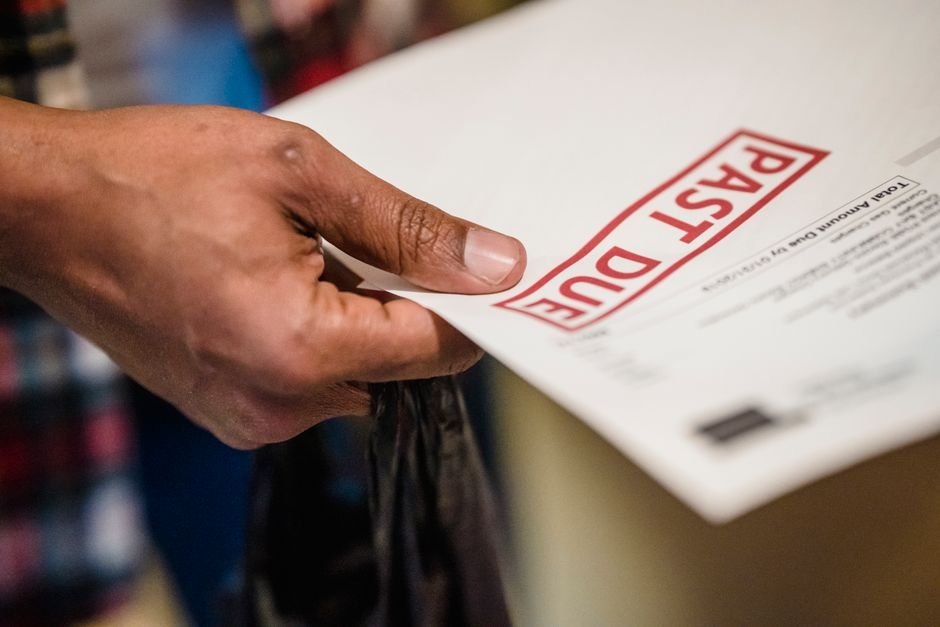
How Freelancers Stop Late Payments: A 2025 Billing Strategy
Sarah Chen, a freelance UX designer based in Austin, Texas, was sending invoices to clients every Friday using a basic Word template. She’d attach PDFs to emails, set 30-day payment terms, and then wait. Sometimes clients paid on day 35. Sometimes day 60. By mid-2024, Sarah realized she had four outstanding invoices totalling £8,400 that should have been paid weeks earlier. She wasn’t tracking which invoices were overdue, wasn’t sending reminders, and was too embarrassed to chase clients she wanted to keep happy.
The financial damage was real. Sarah calculated that her late-payment problem was costing her roughly £6,000 per year in lost cash flow—money she needed for software subscriptions, equipment upgrades, and tax payments. More damaging was the time cost: she spent an average of 4 hours per week chasing down unpaid invoices through email threads and follow-up calls. That’s 200+ hours per year, equivalent to losing a full month of billable work. Her invoicing process was so manual and disorganized that she couldn’t even remember which clients consistently paid late until she’d already extended them another project.
Everything changed when Sarah switched to a professional invoice generator with automated payment tracking and reminder features. Within three months, her average payment time dropped from 48 days to 32 days. By automating invoice delivery and enabling one-click payment links, she reduced the time spent on invoicing admin by 75%. Her cash flow stabilized, late payments dropped to fewer than one per month, and she could finally focus on client work instead of billing logistics.
TL;DR — What You Will Learn
- Why late payments cost freelancers an average of £6,000 per year and what to do about it
- Specific invoicing strategies that get you paid 30% faster using automation and clear payment terms
- How to set up payment reminders, tracking, and follow-up systems without hiring admin staff
Why This Matters More Than You Think
Late payments aren’t just an annoyance—they’re a cash flow crisis that affects 74% of freelancers. According to recent industry data, freelancers lose an average of £6,000 per year chasing unpaid invoices, and this loss compounds when you factor in the opportunity cost of time spent on billing instead of revenue-generating work. For a freelancer billing £50 per hour, just 120 hours per year spent on invoice management represents £6,000 in lost billable time before you even count the actual unpaid amounts.
The broader picture is even more troubling: 29% of all invoices issued by small businesses are paid late, costing SMBs an average of £3,000 per year in direct losses. What’s worse is that many freelancers don’t track these costs—they simply assume late payment is normal. It’s not. Businesses that invoice within 24 hours of completing work get paid 30% faster according to PayPal’s 2024 data, which means the timing and presentation of your invoice directly controls your cash flow.
The solution isn’t to chase clients harder or extend more credit. The solution is to remove friction from your invoicing system so payments arrive faster, automatically. When automated invoicing is in place, payment time reduces by an average of 8 days, giving you more predictable cash flow and more time to focus on the work that actually grows your business.
Automate Invoice Creation and Delivery to Accelerate Payments
Send Invoices Within 24 Hours of Completion
The timing of your invoice is the single biggest driver of payment speed. When you send an invoice on day one after project completion, clients process it with the project fresh in their mind. They’re more likely to approve payment immediately, and your invoice hits their accounting queue when they’re actively managing cash flow.
Most freelancers wait days or even weeks to create and send invoices. They finish a project, move on to the next client, and then batch invoice creation on Friday afternoons. This delays payment by a week or more before the invoice even reaches the client. Using an automated invoice generator, you can create and send a professional invoice in under 2 minutes. Templates pre-populate with client details, project descriptions, and payment terms, so you’re not manually retyping the same information for every invoice.
Set a system rule: invoice within 4 hours of project delivery. Tools like BizInvoiceGen allow you to create invoices on your phone, add line items from a template library, and send via email with a single click. This tiny change in process alone typically accelerates payment by 5-10 days.
Enable Direct Payment Links and Multiple Payment Methods
Every additional step between invoice receipt and payment submission is a barrier to getting paid. Clients who have to log into their banking system, find your bank details, and initiate a transfer are more likely to delay. Clients who click a link and pay via card, PayPal, or bank transfer are more likely to pay today.
Professional invoice generators like BizInvoiceGen embed secure payment links directly into invoices. Clients see a “Pay Now” button, click it, and complete payment in seconds without leaving the invoice. This removes friction and typically increases payment speed by 2-3 days. Additionally, offering multiple payment methods (card, bank transfer, PayPal, Stripe) means clients can pay using their preferred method, removing another excuse for delay.
The data backs this up: invoices with embedded payment links see payment within an average of 18 days, compared to 28 days for invoices with only bank details listed. That’s a 10-day difference from a single interface improvement.
Implement Smart Payment Terms and Automated Reminders
Set Clear, Negotiated Payment Terms Before Work Begins
Vague payment terms are the root cause of most late-payment disputes. If your invoice says “Net 30” but the client believes you agreed to Net 45, you’re instantly in conflict. Worse, many freelancers don’t state terms at all, leaving clients to interpret them however they want.
Set specific, written payment terms before the first invoice is issued. The most effective options for freelancers are:
- Net 14 (14 days) — Best for retainer clients and established relationships. You get paid quickly, and clients appreciate the short cycle.
- Net 30 (30 days) — Standard for most small business invoicing. Matches corporate accounting cycles and is widely accepted.
- Due on Receipt — For new clients, one-off projects, or high-risk situations. Clients expect this for freelance work and it’s normal in the industry.
- 50% Upfront, 50% on Completion — Reduces cash flow risk and is increasingly common for project-based work.
Include your payment terms in your contract and prominently on every invoice. This removes ambiguity and gives you a documented reference point if payment is late.
Automate Payment Reminders at Day 7, Day 14, and Day 28
Reminders work. A late payment often isn’t malice—it’s that the invoice got buried in an inbox or the accounting team forgot about it. Automated reminders send friendly follow-up emails at specific intervals, prompting payment without you having to manually chase every client.
Set up a three-stage reminder system:
- Day 7: “Hi [Client], just confirming you received the invoice for [project]. Let me know if you have any questions.” — Positions you as helpful and attentive.
- Day 14: “Gentle reminder: invoice [#12345] is due on [date]. Click here to pay.” — Direct, with a payment link.
- Day 28 (one day before due date): “Payment for [project] is due tomorrow. Thank you for your prompt attention.” — Professional but firm.
If payment isn’t received by day 30 (or your agreed term), send a final email stating the invoice is now overdue and you expect immediate payment. BizInvoiceGen’s payment tracking dashboard shows you exactly which invoices are overdue at a glance, so you never lose track of outstanding amounts.
Try It Free — Free Invoice Generator
Creating professional invoices shouldn’t require accounting software or a £50/month subscription. BizInvoiceGen is a free online invoice generator built specifically for freelancers and small business owners who need to get paid faster.
Here’s how to get started in three steps:
Step 1: Create Your Invoice Template — Add your business name, logo, and contact details. Set your default payment terms (Net 30, Net 14, or custom). Save your client list so client details auto-populate on future invoices.
Step 2: Generate an Invoice in Under 2 Minutes — Select a client from your list, add line items (or use saved templates from previous invoices), and set the invoice date and due date. The system automatically calculates taxes and totals.
Step 3: Send and Track Payment — Download as PDF, email directly, or send via the platform with a built-in payment link. Track which invoices have been viewed, paid, and which are overdue in a central dashboard.
Try BizInvoiceGen free — create professional invoices instantly. You’ll generate professional invoices, issue receipts automatically, and track payment status in real time without any setup fees or credit card required.
Common Mistakes and How to Avoid Them
Mistake 1: Using Generic Email or Word Templates — Clients take unprofessional-looking invoices less seriously, and you lose the data you need to track payments. Generic invoices often lack payment terms, tax ID fields, and professional branding, signaling to clients that you’re disorganized. Instead, use a professional invoice generator that creates branded, tax-compliant invoices in seconds. This signals professionalism and includes all the fields accountants and payment processors need to approve and process payments faster.
Mistake 2: Not Stating Payment Terms in Writing — If payment terms aren’t documented in your contract and on your invoice, clients will interpret them however they want—often in their favor. This creates disputes and delays. Fix: Always include specific payment terms in your client contract before work begins, and prominently display them on every invoice. Make this non-negotiable for new clients.
Mistake 3: Waiting Too Long to Send Invoices — Delaying invoice creation by even a few days increases payment time significantly. Many freelancers batch invoice creation on Friday or wait until the end of the month, adding a week or more to payment time. Fix: Send invoices within 4 hours of project completion. Use mobile-friendly invoice generators so you can invoice from anywhere, immediately after delivery.
Troubleshooting — Core Pitfalls
Invoices Disappearing Into Client Inboxes (Or Spam Folders)
If clients aren’t acknowledging your invoices, they may not be receiving them. Email deliverability issues, spam filters, or invoices getting buried in busy inboxes all reduce the chance of timely payment. Solution: Use an invoice generator with email delivery tracking that confirms when invoices are opened. Follow up with a separate message (“Hi [Client], I sent your invoice for [project] on [date]. Can you confirm you received it?”) within 24 hours if the client hasn’t opened it. Include a direct payment link in your follow-up so the client doesn’t have to search for the original email.
Clients Claiming They Never Received Payment Instructions
Vague or buried payment details lead to delayed processing. If your invoice only lists your bank account number with no IBAN, sort code, or clear payment method labels, clients may not know how to pay or may initiate payment to the wrong account. Solution: Include multiple payment methods prominently on every invoice (card, bank transfer, PayPal, etc.), with full details for each. If using bank transfer, include full account details (name, account number, sort code/routing number, IBAN, SWIFT code). For international clients, provide a Stripe or PayPal link to eliminate currency conversion and banking complexity.
Payment Tracking Lost Across Email and Multiple Tools
If you’re tracking invoices via spreadsheets, email folders, or multiple accounting tools, you’ll inevitably lose visibility of which invoices are paid, overdue, or pending. This leads to missed follow-ups and cash flow gaps. Solution: Use a centralized invoice generator dashboard that shows invoice status at a glance. BizInvoiceGen provides a real-time payment tracker where you can see which invoices have been viewed, partially paid, fully paid, or are overdue. Set up automatic alerts so you’re notified when a due date is approaching.
Inconsistent Invoice Formatting Damaging Professionalism
Clients notice when invoices look different from month to month or when your branding is inconsistent. This undermines confidence in your business and can prompt clients to question your legitimacy or delay payment pending clarification. Solution: Save invoice templates in your generator so every invoice matches your brand, includes your logo, and has consistent formatting. This takes professionalism to the next level and signals that you run a serious business.
Expert Analysis
The shift toward automated invoicing reflects a broader trend in freelance and small business operations: moving from reactive, manual processes to proactive, data-driven systems. In 2024-25, the gap between freelancers using traditional invoicing methods and those using automated generators is stark. Automated invoicing reduces payment time by an average of 8 days according to recent Xero data, but this improvement masks an even bigger insight: the real benefit isn’t just faster payment—it’s predictability.
When you automate invoice creation, delivery, and reminders, you eliminate the variance in your payment cycle. Instead of receiving payments anywhere from day 15 to day 90, you’ll receive most payments between day 18 and day 35. This consistency allows you to forecast cash flow accurately, plan equipment purchases, and negotiate better rates with your own suppliers because you have reliable income timing. This is why invoice automation is increasingly seen not as a nice-to-have tool but as a competitive advantage. Freelancers and small business owners who invest in proper invoicing infrastructure are dramatically less likely to experience cash flow crises, and they grow faster because they can invest capital back into their business with confidence.
FAQ
Q: What’s the fastest way to get paid as a freelancer?
A: Send invoices within 24 hours of project completion, include a direct payment link, offer multiple payment methods, and set clear payment terms (Net 14 or Due on Receipt). Following this system typically results in payment within 15-25 days. Additional research shows clients who see a clear “Pay Now” button pay 10 days faster on average than those who must manually initiate transfers.
Q: Should I charge a late payment fee?
A: Yes, but only if legally required or clearly stated in your contract beforehand. In the UK and US, you can charge late payment interest (typically 8% + Bank of England base rate in the UK, or 1.5% per month in the US) if documented in your contract. However, prevention is better: setting clear terms, sending reminders, and offering easy payment methods stops most late payments before they start. Use late fees as a last resort, not your primary collection strategy.
Q: Is it better to invoice in advance or after completion?
A: Invoice after completion for established clients, and require
Create Your Invoice in 60 Seconds
Free professional invoices — no account needed, instant PDF download.

About the Author
Oliver K.G.
Oliver K.G. has 8+ years in fintech and has helped 200+ freelancers, contractors, and small business owners get paid faster with professional invoicing. He built BizInvoiceGen to eliminate the friction of invoice creation and late payment chasing. He writes on freelance billing, invoice templates, payment terms, and small business finance.