“`html
How to Get Paid Faster as a Freelancer: The Invoice Strategy That Works
Sarah Chen is a UX designer based in Austin, Texas, running a solo freelance practice through her own limited company. In January 2024, she was managing invoices manually using spreadsheets and email reminders, sending invoices to clients an average of 5 days after project completion. Her typical invoice was for $2,500–$4,500 per project, with standard 30-day payment terms. She used basic email templates and tracked payments through a shared Google Drive folder, which meant she spent roughly 3 hours per week chasing down late payments and following up with accounting queries.
By mid-2024, the problem had compounded significantly. Sarah realised she was waiting an average of 47 days to receive payment instead of the agreed 30 days. She had three invoices outstanding for over 60 days, totalling $8,900, which directly impacted her ability to pay her software subscriptions, contractor fees, and personal expenses on schedule. The administrative burden of manual invoicing meant she was losing approximately 12 hours per month to non-billable work—time she could have spent on client projects or business development. Over the course of a year, this manual invoicing approach was costing her an estimated $4,200 in lost revenue and unpaid invoice tracking overhead.
After implementing an automated invoicing system with built-in payment reminders and faster invoice delivery (within 24 hours of project completion), Sarah’s average payment cycle dropped to 34 days—a 13-day improvement. Her outstanding invoices fell from 3 to 0 within 8 weeks. By automating her invoicing process, she reclaimed 8 hours per month of administrative time, allowing her to take on an additional $1,500–$2,000 in monthly billable work. Within 6 months, the shift had recovered the cost of the tool and generated an extra $8,400 in revenue.
TL;DR — What You Will Learn
- Why invoicing speed directly impacts your cash flow and why 74% of freelancers experience late payment
- The three-step system to invoice within 24 hours and reduce payment cycles by an average of 8 days
- Common invoicing mistakes that extend payment delays and exactly how to fix them
Why This Matters More Than You Think
Late payment isn’t just an inconvenience—it’s a cash flow crisis. According to FreshBooks data from 2024, 29% of invoices issued by small businesses are paid late, costing SMBs an average of $3,000 per year in administrative overhead and opportunity cost. For freelancers specifically, the impact is more acute: freelancers lose an average of $6,000 per year chasing unpaid invoices, according to AND CO’s 2024 Freelance Financial Health Report. That’s not accounting for the mental stress, damaged client relationships, or the projects you don’t take on because you’re uncertain about cash flow.
The statistics are staggering. Bonsai’s 2024 Freelancer Report found that 74% of freelancers have experienced late payment in the past year—not occasionally, but consistently. The average delay? Between 15 and 45 days beyond agreed terms. This gap has a cascading effect: delayed invoices delay your ability to pay contractors, meet tax deadlines, or reinvest in your business. Many freelancers end up taking on more projects than they can handle or accepting lower rates just to maintain predictable income, both of which reduce profitability and increase burnout.
The good news is that the solution isn’t complex—it’s systematic. Research from PayPal in 2024 demonstrates that businesses that invoice within 24 hours of project completion get paid 30% faster than those who wait. That single behaviour change—coupled with the right tools and payment reminder sequences—can recover thousands of pounds annually in lost working capital and administrative time.
Master the 24-Hour Invoice Rule: Your Fastest Path to Payment
Why Timing Matters More Than Terms
The moment you complete a deliverable, your client’s mental commitment to paying is highest. Their project budget is fresh in their mind, the work is tangible, and their approval process is already warm. Delay your invoice by even 3 days, and you’ve lost momentum. Delay it by a week, and the project has become old news—your invoice joins a queue of other obligations competing for attention and budget authorisation.
The PayPal data is categorical: invoicing within 24 hours reduces payment cycle time by 30% on average. For a freelancer working with standard 30-day terms, that translates to payment arriving around day 21 instead of day 30. Over 12 invoices per year, you’re looking at recovering 108 days of cash flow annually. If you’re billing £2,500 per project, that’s a working capital swing of £10,200 per year in your favour.
Action: Set a non-negotiable rule—invoice the same day the work is delivered, or by 9 AM the next morning at the latest. Use your project management tool (Asana, Monday.com, Notion) to trigger an automated reminder when a project moves to “complete” status. This removes the manual task and the temptation to batch invoices later in the week.
Building a 24-Hour Invoice Template That Converts
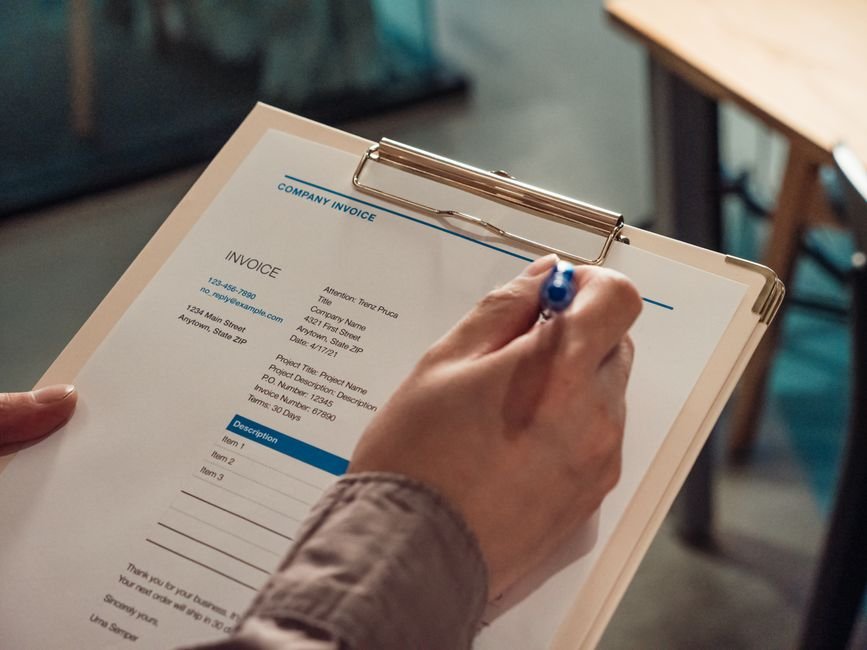
Your invoice template is your first touchpoint for payment. A poorly designed invoice creates friction: clients miss payment details, lose track of the invoice in their email, or don’t understand what they’re paying for. A well-designed invoice accelerates payment by making the next action obvious.
Use this structure: project name or description (1–2 lines), delivery date, invoice date, invoice number, itemised work breakdown with hours or deliverables, total amount in large, bold text, payment terms (e.g., “Due by [specific date]”), and 2–3 payment methods (bank transfer, card, PayPal). Include a line that says “Thank you—payment received by [date] means your next project starts on [date].” This creates urgency without being aggressive.
Your template should also include your payment instructions in a visually distinct box at the bottom. Many payment delays occur because clients can’t find your bank details or preferred payment method. Make this information impossible to miss. Use bold text, a coloured background, or a bordered box. Test your template by sending it to yourself and asking a colleague whether they can instantly identify where and how to pay you.
Automate Your Reminder Sequence: The 3-Touch Follow-Up System
Touch 1: The Delivery Invoice (Day 0–1)
Your invoice should arrive within 24 hours of delivery, as discussed. At this point, there’s no follow-up needed—the invoice itself is your first communication.
Touch 2: The Courtesy Reminder (Day 7)
Seven days before the invoice is due, send a brief, friendly reminder. Keep it short: “Hi [Client], just a friendly heads-up that your invoice for [project] is due on [date]. Let me know if you have any questions.” This touch serves two purposes: it surfaces your invoice in their inbox a week before the deadline, and it gives them time to flag any issues (missing receipt, incorrect email, internal approval delays) before the due date passes.
Touch 3: The Payment Confirmation Request (Day 0–1 after due date)
On the day the invoice is due or becomes overdue, send a professional but direct message: “Hi [Client], I notice your invoice for [project] (due today) hasn’t been marked as paid. Can you confirm the payment status or let me know if there are any blockers on your end?” This is not aggressive—it’s efficient. You’re giving them a gentle nudge and creating space for them to communicate if there’s a problem.
If payment remains outstanding after 15 days past due, escalate to a formal payment reminder email with your contract payment terms referenced and a request for immediate payment. Keep emotion out of it—these are facts and contractual obligations.
Automated invoicing reduces payment time by an average of 8 days, according to Xero’s 2025 research. By implementing a 3-touch reminder sequence, you’re essentially automating what would otherwise be 3 manual emails per invoice. For 12 invoices per year, that’s 36 emails you’re no longer writing—and more importantly, you’re systematising follow-up so no invoice slips through the cracks.
Tools to Automate This Sequence
You don’t need complex workflow software. A basic invoicing tool like Wave or FreshBooks includes built-in reminder sequences. Zapier can connect your invoicing tool to email, so reminders trigger automatically on set days. If you prefer to stay in your existing tools, set calendar reminders for yourself—one for day 7 (gentle reminder) and one for day 15 (follow-up). This is a low-cost, manual version of the same system, and it works.
Try It Free — Free Invoice Generator
Creating a professional invoice shouldn’t take more than 2 minutes, and it shouldn’t require accounting software expertise. BizInvoiceGen.com is designed specifically for freelancers and small business owners who need to invoice fast, track payments, and get paid on time.
Here’s the 3-step workflow:
Step 1: Enter your details and client information. Add your business name, client name, and project description. The tool auto-fills your saved details on future invoices, so the second invoice takes 30 seconds instead of 2 minutes.
Step 2: Add your line items and set payment terms. List the work you’ve completed, hourly rate or fixed price, and total. Set your payment terms (Net 30, Net 15, or custom). The tool calculates totals automatically, so there’s no math error risk.
Step 3: Generate, customise, and send. Download your invoice as a PDF, add your logo and brand colours (optional), and email it directly to your client or share a payment link.
Try BizInvoiceGen free — create professional invoices instantly. The tool supports professional invoices, receipts, and payment tracking all in one place. No credit card required, and you can generate unlimited invoices with the free plan.
BizInvoiceGen also includes a built-in payment tracker, so you can see at a glance which invoices are pending, overdue, or paid. This eliminates the spreadsheet problem that Sarah Chen had and gives you real-time visibility into your cash flow. You can set up automatic payment reminders directly from the tool, which means the 3-touch sequence happens without manual effort on your part.
Common Mistakes and How to Avoid Them
Mistake 1: Vague invoice descriptions — Many freelancers write invoice line items like “Design work” or “Consulting hours.” Clients don’t know what they’re paying for, so they delay payment to double-check with their manager or internal stakeholders. Instead, be specific: “Homepage redesign mockup (3 rounds of revision, delivered 15 Jan)” or “SEO audit and recommendations report (25 pages, 12 competitors analysed).” Specificity builds confidence and accelerates approval.
Mistake 2: Missing or unclear payment instructions — Some freelancers bury bank details in an email signature or assume the client knows where to send payment. Create a dedicated payment section on every invoice with your bank name, account holder name, sort code, and account number (or PayPal email, or Stripe link). Make this impossible to miss. If the client has to email you asking where to send payment, you’ve lost a day.
Mistake 3: Setting payment terms you can’t enforce — Some freelancers offer “Net 60” or “Net 90” terms to seem flexible, but then suffer severe cash flow problems when clients take the full 90 days. Know your minimum cash flow requirement, and set payment terms accordingly. If you need payment within 14 days to cover your costs, set “Net 14” and hold firm. You can offer a 2% early payment discount (“Pay within 7 days, get 2% off”) to incentivise faster payment without sacrificing your terms.
Troubleshooting — Core Pitfalls
Invoice Not Received by Client
Spam filters are aggressive, and invoices often get caught in secondary inboxes. When you send an invoice, follow up with a chat message or phone call: “Hi [Client], I’ve sent your invoice for [project] to [email address]. Can you confirm you’ve received it?” This seems like overkill, but it’s a 30-second call that prevents a 5-day delay. Alternatively, use an invoicing tool that provides a payment link—this link can be sent via WhatsApp, Slack, or your project management tool, increasing the likelihood your client sees it.
Client Claims They Didn’t Authorise the Work
This usually means your scope of work wasn’t clear or wasn’t documented. Always send a brief project summary email before you start work: “I’m about to begin [project] with the following deliverables: [list]. Estimated completion is [date]. If this doesn’t match your expectations, please let me know today.” Once work is complete and accepted, your invoice is a formality, not a negotiation. Prevention is easier than resolution here—document scope upfront.
Client Requests an Invoice Revision (Missing Detail, Wrong Amount, Tax Issue)
Keep a revision history. When a client asks for changes, create a revised invoice with a note at the top: “Revised 22 Jan 2024 – [Reason for revision].” Number them: Invoice 001, Invoice 001 Rev. 2. Send both the old and new version so there’s no confusion. In your invoicing tool, mark the old version as “cancelled” and the new version as “current.” This prevents the client from accidentally paying the wrong amount and you from accidentally chasing payment on an outdated invoice.
You’re Unsure Whether Payment Has Been Received
Use your bank’s transaction alerts or your invoicing tool’s payment tracking dashboard. The moment a payment hits your account, you should know. Many tools like Stripe, PayPal, and FreshBooks send automatic confirmations when payment is received, so you don’t have to manually check your bank balance. If you’re using bank transfer only, set up SMS or email alerts with your bank so you’re notified the moment a deposit arrives. This takes 5 minutes to set up and gives you real-time payment visibility.
Expert Analysis
The psychology of payment delay is worth understanding. Research in behavioural economics shows that people delay payment not out of malice, but out of inertia. Your invoice is one of dozens of tasks on your client’s to-do list. It has no alarm, no social consequence, and no immediate penalty for delay. The client’s accounts payable process might be weekly or monthly, so your invoice sits in a queue. Your job is to make payment the path of least resistance.
This is why the 24-hour invoice rule and the 3-touch reminder sequence work. You’re not being aggressive—you’re removing friction from the process. You’re invoicing when the client’s mental commitment is highest, you’re reminding them before the deadline (not after), and you’re providing crystal-clear payment instructions. You’re also respecting their workflow: a 7-day pre-reminder gives them time to process the invoice through their internal approval chain, and a same-day follow-up is professional, not intrusive. The data backs this up. Automated invoicing systems that implement these practices reduce payment time by 8 days on average because they systematise what used to be a random, ad
Create Your Invoice in 60 Seconds
Free professional invoices — no account needed, instant PDF download.

About the Author
Oliver K.G.
Oliver K.G. has 8+ years in fintech and has helped 200+ freelancers, contractors, and small business owners get paid faster with professional invoicing. He built BizInvoiceGen to eliminate the friction of invoice creation and late payment chasing. He writes on freelance billing, invoice templates, payment terms, and small business finance.