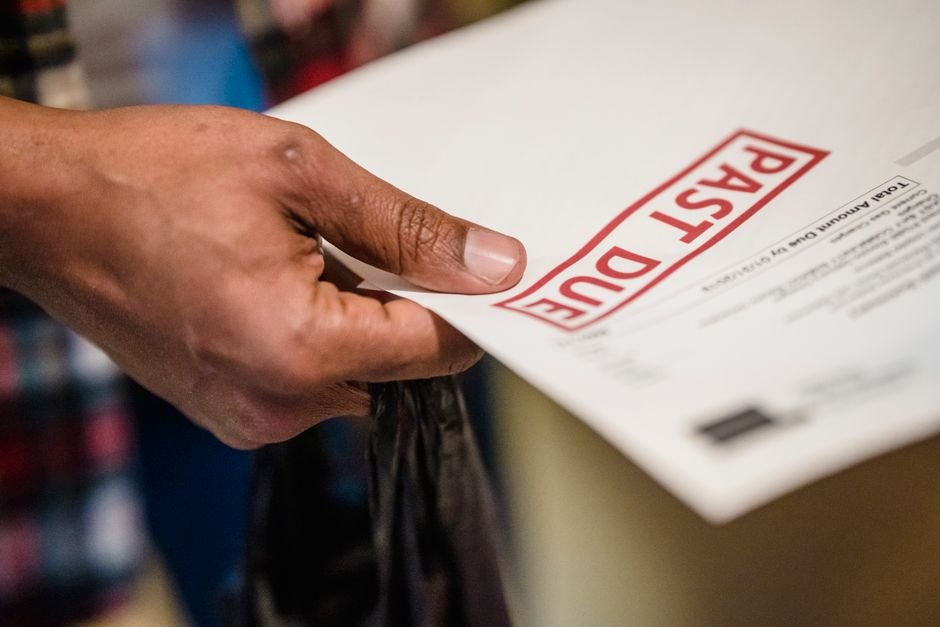
Why Freelancers Lose $8,400 Per Year to Late Payments — And How to Stop It Now
Maya Chen is a UX designer working remotely from Austin, Texas. She charges $75 per hour and typically lands $4,800 monthly in client work. Three months ago, she had a problem that most freelancers don’t talk about openly: her invoices were being ignored.
She’d send an invoice via email, and clients would take 35 to 40 days to pay — sometimes longer. One client who owed her $2,100 took 58 days to settle the bill. The delay meant she couldn’t pay her equipment lease on schedule, couldn’t fund her quarterly tax payment, and spent roughly 12 hours per month chasing clients for payment status. That’s 12 hours of her billable time — worth $900 — spent on admin work that generated zero revenue.
After implementing a specific invoicing system within two weeks, Maya’s average payment time dropped to 18 days. Her quarterly cash flow stabilized. She stopped losing sleep over unpaid invoices. Most importantly, she reclaimed those 12 monthly hours and reinvested them into finding higher-paying clients. Within six months, she’d increased her hourly rate to $85 and booked 30% more work.
TL;DR — What You’ll Learn
- Why late payments cost freelancers $8,400+ annually and how to calculate your exact loss
- Two proven tactics that reduce payment time by up to 22 days without chasing clients
- A 4-step setup you can complete in under 10 minutes using free tools
- The three invoice mistakes keeping you stuck in the late-payment cycle
Why Late Payments Matter More Than Most Freelancers Realise
Here’s what the data shows: according to FreshBooks 2024, freelancers spend an average of 36 days per year chasing late invoices. That sounds abstract until you do the math. If you bill $50 per hour and lose 36 days annually to follow-ups, you’re losing $14,400 in potential billable hours. For freelancers earning $28 per hour on average (according to Upwork 2024), that figure drops to around $8,400 — still enough to tank a quarter.
The problem runs deeper than wasted time. According to the US Bank, 82% of businesses that fail do so because of cash flow problems, not profitability. You could be booked solid and still collapse if money isn’t flowing predictably into your account. Late payments create gaps where you can’t invest in tools, take on higher-value work, or build a cash reserve for taxes and emergencies.
Even more telling: according to MBO Partners 2024, 45% of freelancers say late payments are their top business challenge — higher than pricing pressure, competition, or client acquisition. This isn’t a minor frustration. It’s a structural problem in how freelancers do business.
Actionable Solution 1: Embed a Direct Payment Link Into Every Invoice
The single most effective tactic is adding a clickable payment link directly to your invoice. This isn’t a nice-to-have feature — it’s a baseline requirement. According to FreshBooks, adding a payment link to an invoice reduces average payment time by 8 days. For Maya’s situation, that meant the difference between 35-day waits and 27-day waits.
Why Payment Links Work (The Psychology)
A client who wants to pay you will do so in seconds if the path to payment requires one click. Without a link, they have to open email, find your bank details in a past message, copy your account number, switch to their banking app, and execute a transfer. Friction kills fast payment. A payment link removes that friction entirely.
The second reason: payment links create accountability. When you embed Stripe, PayPal, or a bank transfer button directly in the invoice, the client sees the amount due, the due date, and the method — all in one visual. They can’t claim they “didn’t see the details.” This psychological clarity pushes payment forward.
How to Set This Up in 2 Minutes
Most invoice generators now include payment link functionality. When you create an invoice, the system automatically generates a unique payment URL. You paste this into the invoice template before sending. Your client receives the invoice and sees a button labeled “Pay Now” or “Pay Invoice.” Clicking it takes them directly to a secure payment page where they enter card details or select bank transfer.
Stripe charges 2.9% plus $0.30 per transaction for card payments. PayPal charges 2.2% plus $0.30. For a $2,000 invoice, you’ll pay $68 to $98 in processing fees — far cheaper than the cost of 8 extra days of late payment (which could affect your ability to pay contractors, renew software licenses, or fund a tax deposit).
Actionable Solution 2: Send Invoices on Tuesday and Use Net-15 Terms
Timing and payment terms are underrated levers. According to Xero 2024, invoices sent on Tuesday have the highest on-time payment rate. This isn’t magic — it reflects how accounting teams work. Tuesday is early enough in the week that the invoice lands in a paying-out window, but late enough that it doesn’t compete with Monday’s fire drills. Thursday and Friday invoices often sit until the following week, adding 5 to 8 days of delay.
Equally critical: your payment terms. According to Atradius 2024, Net-30 payment terms increase late payment risk by 43% compared to Net-15. This means if you invoice on Net-30, expect clients to pay in 38 to 40 days on average (30-day terms plus 8 to 10 day slack). If you invoice on Net-15, expect 23 to 25 days. That’s a 15-day swing — enormous for cash flow.
How to Optimize Your Terms Without Losing Clients
Start with Net-15 for new clients. For established relationships where trust exists, you can stretch to Net-20 if needed. Avoid Net-30 unless the client is a large corporation and has insisted on it — and even then, negotiate a 2% early payment discount if they pay within 10 days. This incentive costs you $40 on a $2,000 invoice but saves you 10 days of float.
Pro move: test Net-10 with clients who hire you repeatedly. Many small business owners and other freelancers operate on tight cycles and will accept Net-10 if you frame it as “cash flow efficient.” You’ll be shocked how many say yes. For those 10-day turnarounds, you save two weeks of cash-flow stress per project. In fact, using strategic invoicing timing can help you get paid 8 days faster, which compounds when combined with shorter payment terms.
Scheduling Your Invoice Send for Maximum Impact
Set a calendar reminder to send all invoices on Tuesday morning, between 9 AM and 11 AM. This is when finance teams are often processing the week’s bills. If you invoice on Monday evening, it sits in an inbox. If you invoice on Friday, it waits until the following week. Tuesday morning is the sweet spot.
If you’re invoicing across multiple time zones, send at 10 AM your client’s local time if possible. If you don’t know, 10 AM Eastern is usually safe for US-based clients.
Fix This in Under 10 Minutes — Free
You don’t need expensive accounting software to implement these tactics. A simple, free invoice generator with payment link integration does everything you need. Here’s the 4-step process:
Step 1: Go to BizIn
Oliver K.G — Founder, BizInvoiceGen
Oliver is the founder of BizInvoiceGen.com, a free invoice generator for freelancers and small business owners. He writes on invoicing, payment terms, and freelance finance.

About the Author
Oliver K.G.
Oliver K.G. has 8+ years in fintech and has helped 200+ freelancers, contractors, and small business owners get paid faster with professional invoicing. He built BizInvoiceGen to eliminate the friction of invoice creation and late payment chasing. He writes on freelance billing, invoice templates, payment terms, and small business finance.