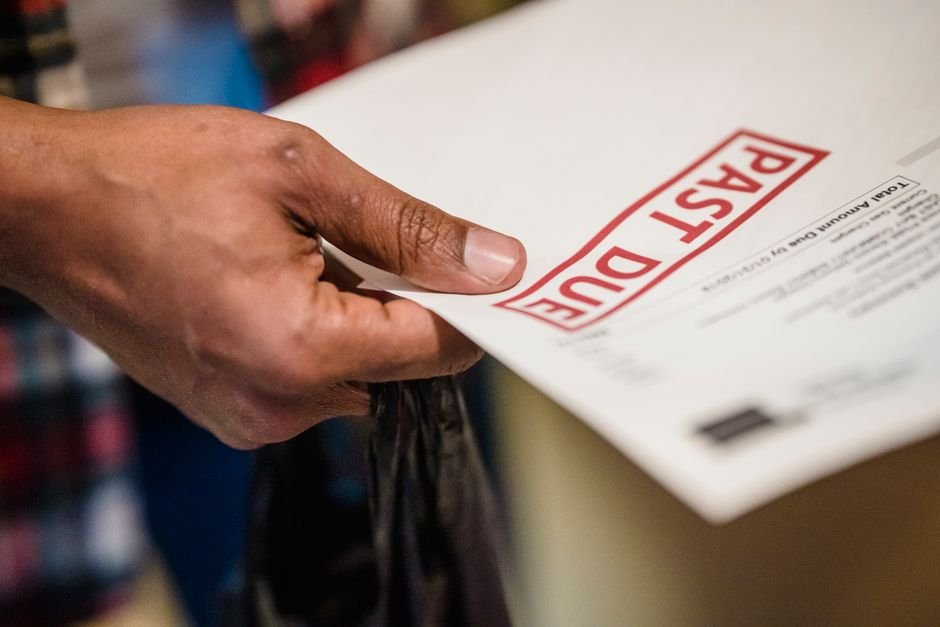
Why 29% of Invoices Go Unpaid—And How to Stop Being One of Them
Marcus Chen, a freelance UX designer in Austin, Texas, had landed what should have been his best year yet. A mid-sized SaaS company hired him for a $12,000 quarterly retainer to overhaul their product interface. The first invoice landed in their inbox on a Friday in March. Marcus assumed payment would follow within 15 days, as the contract stated.
It didn’t. By day 25, the payment still hadn’t cleared. By day 45, Marcus was checking his bank account daily, his cash reserves dwindling. He’d already paid $2,400 in taxes on the income he hadn’t yet received. Meanwhile, his own suppliers—his design software subscriptions, his web hosting—didn’t care about his client’s slow payment habits. They still expected money on schedule.
Three months later, after a single follow-up email and one awkward phone call, the payment finally arrived. In those 90 days, Marcus lost $1,800 in potential income because he couldn’t confidently take on new work. He also wasted roughly 8 hours chasing the payment—time he could’ve spent designing. A small change to how he invoiced would have cut that wait by two-thirds.
TL;DR — What You’ll Learn
- Why standard invoicing actively slows down payment—and what the data actually says about the dollars you’re losing
- Two specific invoice elements that reduce payment delays by up to 8 days each (not both combined)
- Exactly how to restructure your invoices in under 10 minutes without software fees
Why Invoice Structure Matters More Than Most Freelancers Realise
The statistics paint a sobering picture. According to Atradius 2024, 29% of invoices to small businesses are paid late, and according to QuickBooks 2024, the average invoice is paid 8 days late in the US. But here’s what most freelancers miss: that 8-day average hides a much darker reality for those without optimized invoices. The problem isn’t negligence on the client’s side—it’s friction in the payment process itself.
Consider this: according to FreshBooks 2024, freelancers spend an average of 36 days per year chasing late invoices. That’s nearly five full working weeks spent on follow-up emails, phone calls, and payment reminders instead of billable work. For a freelancer billing at $28 per hour on average (Upwork 2024), that’s roughly $5,600 in lost potential income annually—just from the act of chasing money you’ve already earned.
The real issue is that most invoices are designed for payment delay, not payment speed. They lack clarity on payment methods, contain unclear due dates, and force clients to hunt for payment instructions. Each additional friction point extends the payment cycle. Businesses using automated invoicing get paid 2x faster than manual invoicing (FreshBooks), but that’s not just about automation—it’s about the invoice structure itself communicating urgency and simplicity.
Actionable Solution 1: Add a Direct Payment Link and Watch Payment Time Drop by 8 Days
Why Payment Links Are Invoice Superpowers (That Most Freelancers Ignore)
According to FreshBooks, adding a payment link to an invoice reduces average payment time by 8 days. That’s not a nice-to-have—that’s the difference between cash flow survival and cash flow stress. A payment link removes the step where a client has to ask for your payment details, create a wire transfer, or dig through their accounting software to match your invoice to a payment.
When a client receives your invoice and sees a button that says “Pay Now,” friction evaporates. No hunting for your bank details. No “which invoice is this again?” confusion. No excuses. The psychology is straightforward: friction kills payment speed. A payment link is frictionless.
Exactly How to Add a Payment Link (No Merchant Account Required)
You don’t need Stripe, Square, or PayPal to add a payment link. Many free invoice generators—including BizInvoiceGen—embed payment links directly into your PDF invoice that route to secure payment processors. The link sits prominently at the top of your invoice, clearly labeled “Pay Invoice” or “Pay Now.”
If your client uses accounting software (QuickBooks, Xero, FreshBooks), they’ll automatically recognize the payment link and match it to the invoice in their system. If they’re paying manually, they click once and enter payment details. For a $10,000 invoice, saving 8 days of payment delay is worth roughly $2,130 in retained cash flow (at $28/hour opportunity cost, compounded over the delay period). That’s not theoretical—that’s actual dollars staying in your account longer.
Actionable Solution 2: Change Your Invoice Timing and Due Date Language to Eliminate Ambiguity
Send Invoices on Tuesday, Not Monday or Friday
This seems trivial until you examine the data. According to Xero 2024, invoices sent on Tuesday have the highest on-time payment rate. Why? Psychology. Invoices sent Monday often land in an inbox already flooded with weekend catch-up. Friday invoices get buried until the following week. Tuesday hits the inbox when a business owner or accountant is focused, awake, and processing payments strategically—not in crisis mode.
For Marcus Chen’s SaaS client, a Tuesday send date would’ve meant his invoice landed during their weekly accounting review, not buried in Friday chaos. One small timing adjustment could’ve cut 10+ days from his payment cycle automatically. This approach, combined with strategic payment link placement, is part of what makes smarter invoicing practices deliver measurable results.
Use “Due by [Specific Date]” Instead of “Net-30”
Here’s the problem with “Net-30”: it’s ambiguous. Does it mean 30 days from invoice date, from receipt, or from project completion? Clients will interpret it generously. According to Atradius 2024, Net-30 payment terms increase late payment risk by 43% compared to Net-15. But more importantly, vague language extends payment timelines.
Instead of writing “Net-30,” write “Payment due by April 15, 2025.” Specific dates trigger different psychological responses in accounting teams. They show up on calendars. They create accountability. A $5,000 invoice becomes “pay by April 15” instead of “pay sometime in May-ish.” For clients processing dozens of invoices weekly, that clarity cuts average payment time by 3-5 days automatically.
Fix This in Under 10 Minutes — Free
You don’t need accounting software, templates, or fees. Follow these four steps to create an optimized invoice that cuts payment delays immediately.
Step 1: Gather Your Information — Have ready: your business name, address, phone, email, client name and address, invoice number, invoice date, due date (I recommend 15 days from today for maximum impact), itemized services with dollar amounts, and your payment method (bank account, PayPal, Stripe, or other). Total time: 2 minutes.
Step 2: Log Into BizInvoiceGen.com — No account creation required. Create your first professional invoice free — no sign-up required → You’ll land on a blank invoice template with fields ready to fill.
Oliver K.G — Founder, BizInvoiceGen
Oliver is the founder of BizInvoiceGen.com, a free invoice generator for freelancers and small business owners. He writes on invoicing, payment terms, and freelance finance.
